
This post is special to me. It is a collection of moments hidden in January 2025. This post is both a family keepsake and the result of something I have long wanted to create.
The effect I’m referring to is at the end of the short video—it’s a complete transformation of the video’s appearance based on the transformation of each frame.
The posted video was created using programs such as Adobe After Effects (AE), Premiere Pro, Adobe Media Encoder (AME), and Photoshop (Ps). It includes some really cool solutions for many similar projects.
Short Description of How This Work Was Created:
The video was created in 3840×2160 resolution at 30fps. It includes 10 horizontal graphics (1440×1080), 4 vertical graphics (1080×1920), and a short video clip (1920×1080).
Background: The animated background was created in After Effects, using expressions instead of keyframes. The base effect is a 4-Color Gradient, with colors selected from a harmonic color scheme (tetradic). Four points were set to loop using the wiggle function, then blurred and distorted using Gaussian Blur, Turbulent Displace, and Motion Tile. The result is a dynamic and visually appealing background.
Visual Composition: The scene consists of static images arranged in a sequence where the camera moves backward. The first 10 images are positioned at different corners along the camera’s movement axis. To avoid passing directly through the graphics, rounded corners (100px in track matte) were applied. The distance between images is set at 500px, with perfect sharpness occurring when an image fills exactly one-quarter of the screen, combined with 100px blur.
First 10 Graphics: These were created using Photoshop automation (Actions) within a masked area. The automation applied only to the selected region (soft brush on an empty layer), leaving the rest of the area white. A textured „thick paper” effect was used for the background. The graphics are monochromatic, making them ideal for a sketch-like (hand-drawn) effect.
Next 4 Graphics: These follow the same spacing pattern but move toward the center, using the same effect as the previous ones.
Final Video Clip: The final video moves toward the center, with initially rounded corners adjusting to fit the screen.
Source Footage: The original video was shot using a DJI Osmo Pocket 3 (4K at 25fps). It was first stabilized in Premiere Pro using Warp Stabilizer (scaled up to 125%) before being exported into 847 individual JPG frames.
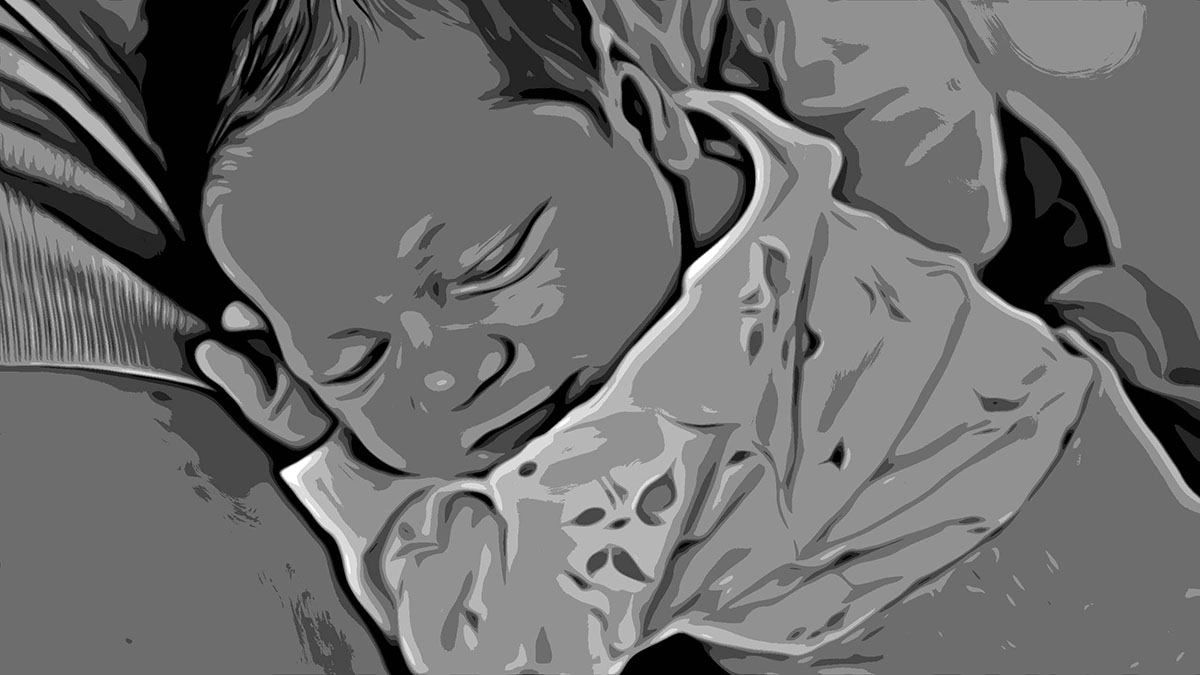
Image Processing: The frames underwent posterization in Photoshop, primarily using the Oil Paint effect and posterization adjustments. Each frame was enhanced with saturation, blur, and edge distortion. A new automation sequence was created and applied to all frames in a single click using the Image Processor script.
Final Visual Effect: The final result is completely desaturated, containing only 8 shades of gray. While it can resemble an oil painting style, I intentionally avoided thick paint effects to keep the composition flat.
Reassembling the Sequence: The 847 processed images were re-imported into After Effects and merged with the main composition. The last frame was held in place, with a dynamic text effect simulating fog transforming into text.
Audio: The audio was sourced from Free Adobe Stock (link below).
Export: The final render was exported in Adobe Media Encoder as an MP4 file using the H.264 codec with VBR2 (bitrate: 7 and 14).
The visual effects applied to both the images and the short video clip were achieved through Photoshop automation. When working with a large number of images requiring repetitive processing, automation is the ideal solution. It can be used for tasks like applying watermarks or transforming entire image sequences.
By extracting frames from a video and reimporting them as a processed sequence, we gain complete control over the film’s transformation. Using Photoshop automation, we can even create an animated film from smartphone footage.
The final result is just one example of these possibilities. With knowledge of the software’s capabilities and a creative concept, we can achieve highly unique results.
No standard video effects can provide the same flexibility as direct frame-by-frame processing using automation (Image Processor or Batch).
Here is the link that helped me execute this project:
https://stock.adobe.com/search/audio?k=462866823
The selected graphics illustrate my skills in changing and affecting the visual appearance of a person, object, or landscape based on the original background. The final effect is subjective and covers a specific time frame. Each of us perceives things differently, and each of us has a different time frame or skill set. Posts published periodically with a specific thematic project aim to systematically collect materials illustrating graphic possibilities.
Enjoy watching!