

Christmas in 3D.
Before I describe the components of this work…
Wishing you a healthy and peaceful Christmas. Moments with those people, things, or situations where you feel special during this time.
This post is the first in which I present elements of 3D modeling in Blender and the brief capabilities of the amazing program that is Adobe After Effects.
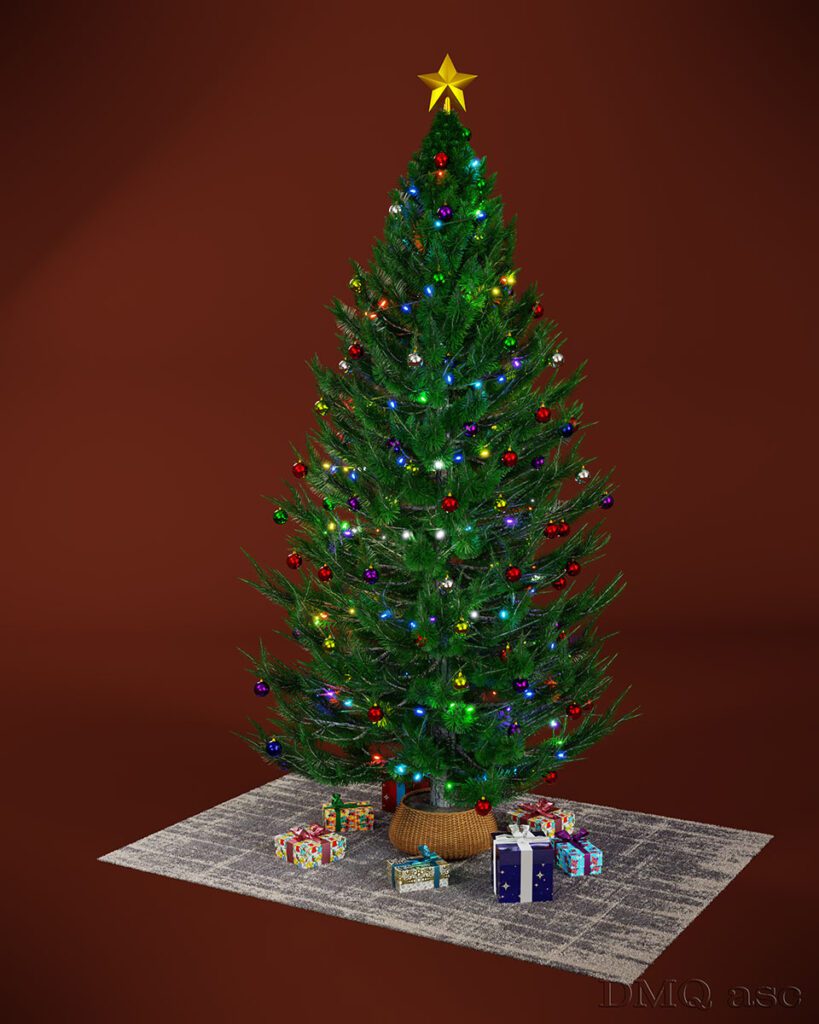
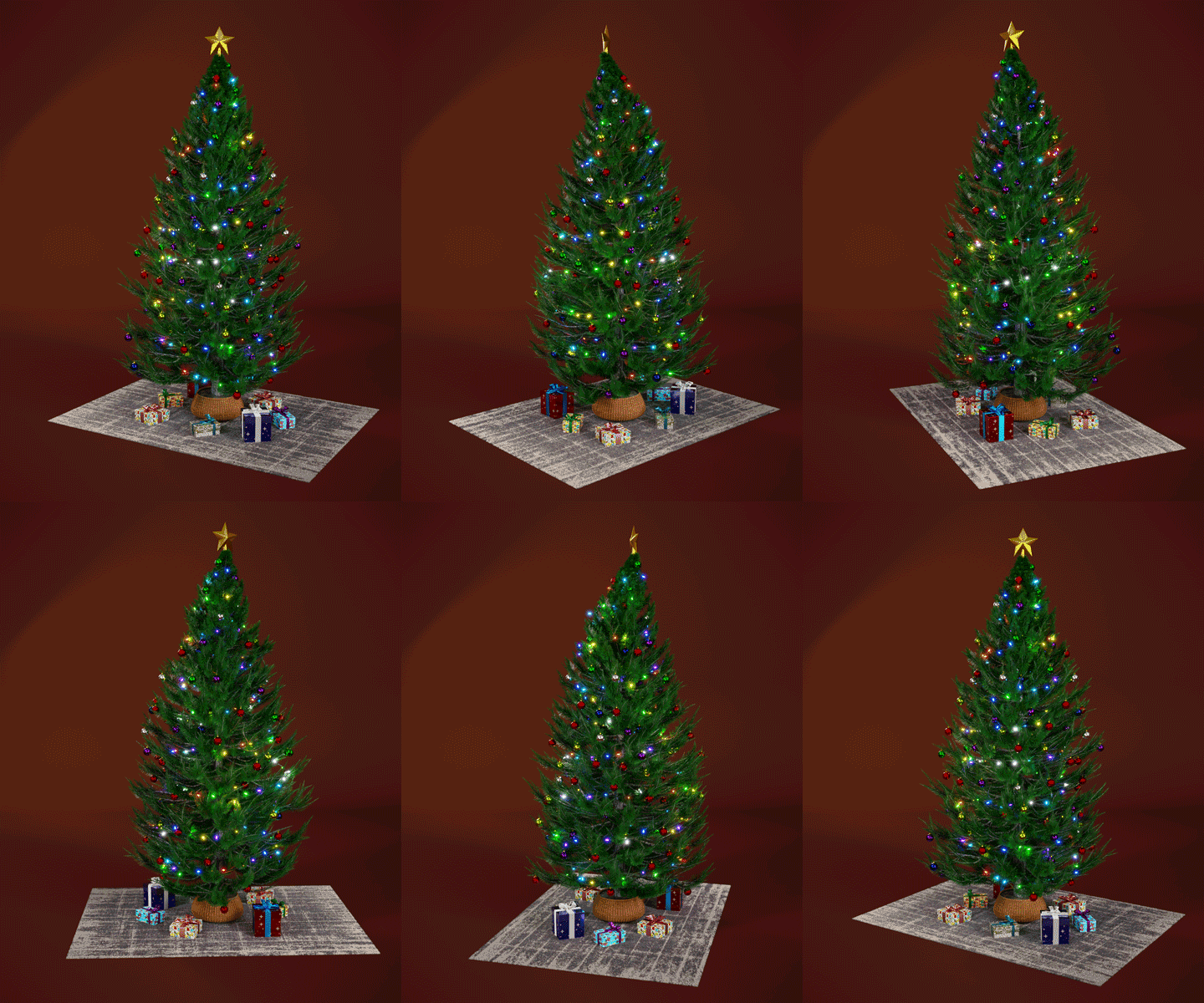
Three images. The first is a close-up of a branch with hanging ornaments and lights, the second is a fully rendered Christmas tree (photorealistic visualization) where you can see all the individual items in detail, and the third is a looping animation (GIF) of the aforementioned Christmas tree.
Branch
A close-up of an ornament hanging on a branch. The branch was created in Blender using geometry nodes, meaning that with the help of one twig and one needle, a whole range of different branches was created using procedures (nodes). This is one of several modeling methods, very effective and light on the program, in practice resembling a spiderweb of interconnected nodes. The wood and needle materials were made using mixes of specific nodes responsible for the appearance (Procedural Nodes). The needles were also given subsurface scattering, meaning light passes through the thinnest parts of the material.
The ornaments were created from a basic spherical shape, further equipped with hanging elements. The material was created similarly to the branch, but in four different variations and (though not visible) with surface differentiation (glossy or with roughness – noise).
The lights were created using geometry nodes, and as seen in the image, consist of three wires with evenly distributed lights (emissive material). The geometry is fully customizable, assigned to a specific curve, and can be adjusted in terms of layout, scale, or colors. The colors are randomly selected from 7 specific colors that I preloaded (randomized in the color ramp).
The render was done in Blender, where the focus was set on the red ornament while maintaining a low depth of field (DoF=0.5). The trees reflect in the ornament, which was placed in an HDR lighting map.
In post-production (also in Blender), I added elements such as noise reduction (denoise), glow effects for light-emitting elements in the form of fog and four directional reflections, as well as a vignette in the form of a blurred square at the edges.
The whole scene was combined in After Effects (Ae) with the 3D „Merry Christmas” text and a blending company logo. The 3D text was created with a highly advanced and compatible 3D model extension – Element (Video Copilot).

Christmas Tree
The model of the Christmas tree was created in Blender using the Sapling Tree extension based on a pine tree. The geometry of the branches and needle distribution were adjusted within this extension. The textures of the wood and the soil in the wicker pot were sourced from polyhaven.com (thanks to Rob Tuytel) [links below], while the needles were created with procedural materials.
The ornaments were created from spheres with randomly selected colors depending on their position in the model.
The lights used were the same as those on the branch, fully customizable.
The wicker pot was created in Blender using the Tissue extension, which allows for applying any geometry to any surface. In this case, it created physical geometry resembling a wicker basket. Between the pot and the basket, I placed an element resembling foil.
The carpet was created in Blender using hair particles (hair particle system), where I adjusted the carpet-like material according to my vision. The texture was created using the Velvet Wool-Dark Grey carpet graphic from Dekoria.pl.
The star is a simple shape with a gold-like color and a semi-metallic reflection.
The presents are simple rectangular boxes with materials borrowed from the BlenderKit extension. The gift ribbons were created using the Cloth extension, which gave a very realistic textile material geometry. I applied a repeating texture to the presents to avoid them being too smooth.
The whole scene was placed on an unfolded and upward-turned material imitating a studio backdrop. I used three of the same lights according to the lighting composition (fill, key & rim light). A subtle vignette was applied, but this time in an elliptical shape.
GIF Animation
This is a 4-second looped animation where everything on the carpet (along with it) rotates a full 360 degrees. The camera and background remain in the same position. I also used a vignette and a glow effect for the lights in the composition.
The animation was created in After Effects based on 100 (25fps – I kept PAL settings, not NTSC) rendered PNG files from Blender. I could have also imported the 3D models into After Effects or exported the GIF file from Photoshop based on the video file rendered in Blender in AVI format with the alpha channel (originally, the tree rotated without a background).
The falling snow was created using the particle system and rendered to PNG files in Blender (the background is fully transparent).
The whole scene was combined in After Effects, based on imported sequences of the rotating tree and falling snow. Snow is a very versatile overlay that can be used on photos or video files. The company logo was created in Photoshop and later imported directly as an editable PSB file.
The animation is a smooth loop of the tree’s rotation, but the snow is reset and replayed every 4 seconds. The quality is limited to 576×720 px due to the extended color range, and playback fluidity depends on the internet connection speed.
The three images above show just a part of the possibilities that come with Blender and After Effects. Blender is a standalone, powerful, and free program that allows you to create a complete work from start to finish. Ae, on the other hand, is a clever tool that lets you integrate 3D elements or various animations of raster or vector graphics into existing video.
Below are the links that helped me create these projects:
Soil in the pot:
https://polyhaven.com/a/burned_ground_01
Pine bark texture:
https://polyhaven.com/a/pine_bark
Carpet texture:
https://www.dekoria.pl
HDR map:
https://polyhaven.com/a/nature_reserve_forest
The selected graphics illustrate my skills in changing and affecting the visual appearance of a person, object, or landscape based on the original background. The final effect is subjective and covers a specific time frame. Each of us perceives things differently, and each of us has a different time frame or skill set. Posts published periodically with a specific thematic project aim to systematically collect materials illustrating graphic possibilities.
Enjoy watching!