
Valentine’s Day – A Font with HEART
A post where I combined Valentine’s Day with the possibility of creating your own font.
This post is full of hearts, it’s pink, and it features a deeply reflective quote. But what I truly wanted to convey here is the skill of creating your own, unique font. Many people are familiar with fonts from Microsoft Word or graphic design programs, such as Arial, Times New Roman, Museo Slab, Lust, or Impact. There are countless fonts—serif, sans-serif, handwritten, decorative, etc. Some are paid, while others are free. Here, I describe how I created my own font for Valentine’s Day, which I am also sharing with you.
I considered different approaches—whether to base the font on a filled area or a path along which a specific pattern is stretched. In this post, the font was created based on an area filled with hearts. In the future, I plan to make a post about a font based on a path where I will use a brush that mimics, for example… grass (the decision will be made during the process).
This post was created using Adobe Illustrator (AI), Adobe After Effects (AE), Adobe Media Encoder (AME), and FontForge (FF).
How This Work Was Created
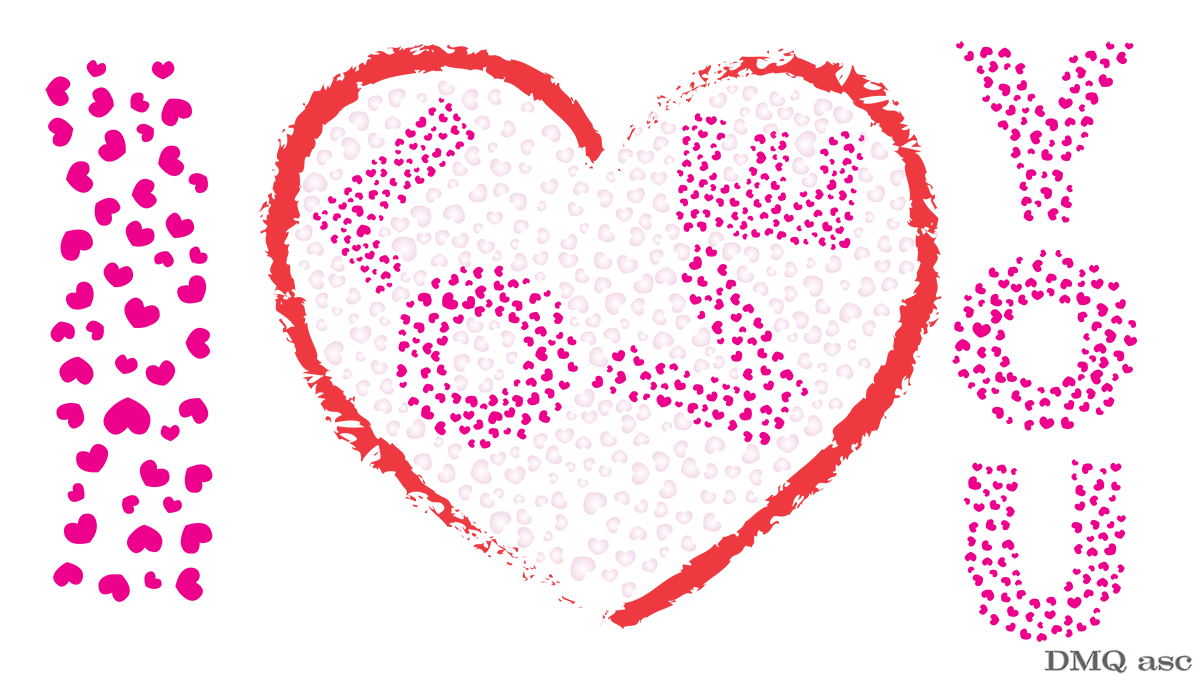
This project consists of a graphic featuring a large heart and the phrase „I LOVE YOU,” a short animation that simulates writing with this font, and a graphic showing the progress of the work.
- Every font is based on a vector system, allowing it to be freely scaled without losing quality. By default, all fonts are black; only after saving can their color and transformations be adjusted.
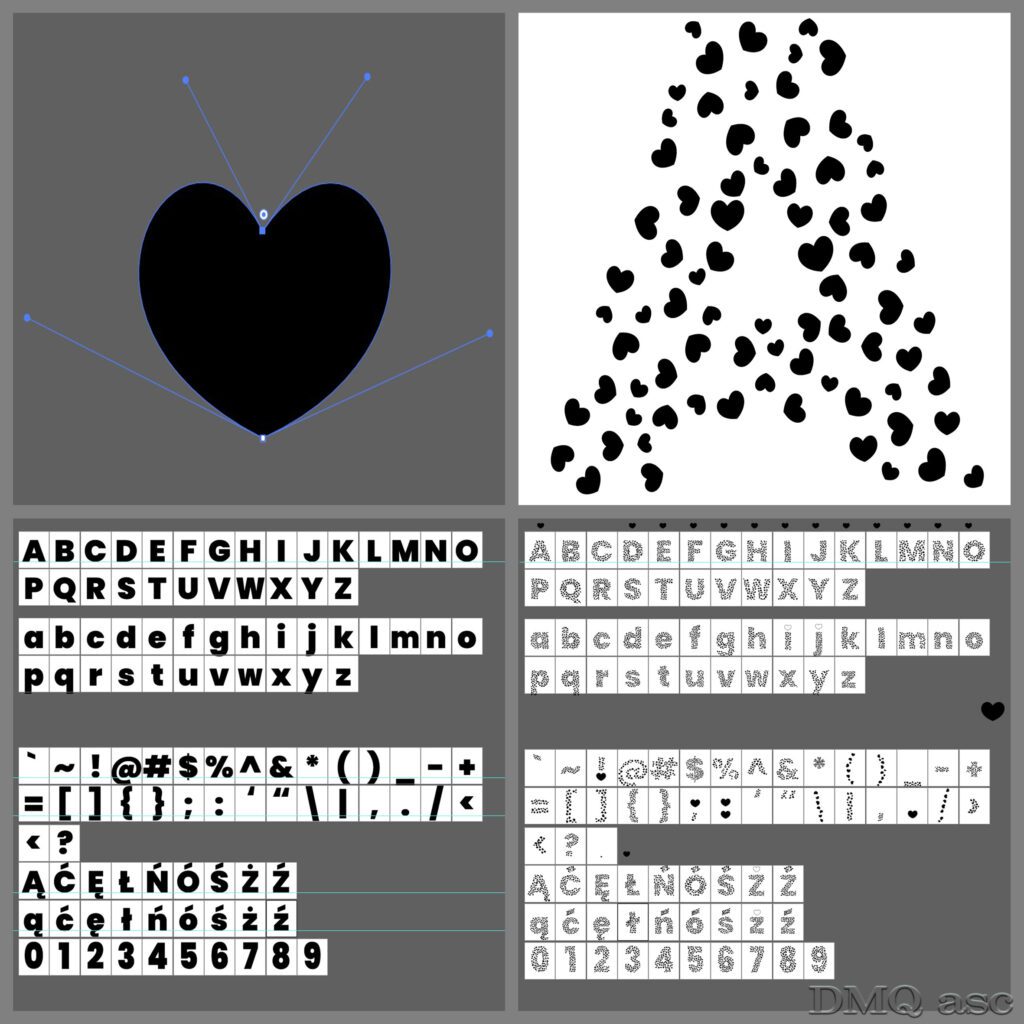
- As a base, I used the Poppins Black font from Adobe’s resources, arranging the characters in Illustrator into groups: uppercase letters (26), lowercase letters (26), special characters (33), and digits (10), plus an extra set for Polish characters (2×9). In total, I generated 113 characters in 1000x1200px squares.
- My base heart was a vector shape made of two points (vertices) to keep the file size minimal and improve optimization.
- Each character was broken apart and ungrouped, while the heart was grouped to allow the use of the „fillinger” script, which helped adjust size, spacing, and heart randomization. I started with one heart and ended up with many hearts enclosed within each character.
- In FontForge, the characters were imported and properly adjusted. The number of characters included should be sufficient to write any sentence in Polish and any mathematical equation using a keyboard.
- For special font behaviors, I used UnicodeBMP encoding and adjusted kerning (spacing between characters).
- The final output is a TTF (TrueType Font) file, without additional font families, based on a regular style. It can be further modified—narrowed, slanted, etc.—depending on the program in use.
- The number of hearts was adjusted for readability. In smaller font sizes, the hearts might be less visible, but the font’s potential use is limitless, as quick adjustments can be made for larger text.
- The animation was created in After Effects, where I used two royalty-free music tracks from Adobe’s resources (links below) and an effect simulating typewriter-style writing. Additionally, a small heart animation was added, as well as a heart-drawing effect synchronized with the main text and a company name at 60% opacity.
- The final video was exported in MP4 format at 1920×1080 resolution, using H.264 and VBR 2 for file size optimization. The graphic with the large heart is a transparent PNG, which will appear on a white background in most players, while the progress showcase graphic is an optimized JPG.
The Creative Potential of Custom Fonts
Creating your own font opens up vast possibilities for presenting it in different environments. The version shared here is a basic auto-generated font. With more time, a highly artistic font with multiple variations could be created.
A font based on a specific symbol allows for a unique visual presentation. My font, which I created and am sharing for free, is meant to showcase graphic design possibilities. However, for any commercial or non-commercial use, I kindly ask to be credited as the author. The font is in TTF format and installs like any other font—simply click „install.” It is completely safe and highly recommended. Below is a Google Drive link to download the file.
Download Links:
Final Thoughts
The selected graphics illustrate my skills in changing and affecting the visual appearance of a person, object, or landscape based on the original background. The final effect is subjective and covers a specific time frame. Each of us perceives things differently, and each of us has a different time frame or skill set. Posts published periodically with a specific thematic project aim to systematically collect materials illustrating graphic possibilities.
Enjoy viewing and testing the font! 🎨💖